Clean Up the Power Platform Default Environment

Clean Up the Power Platform Default Environment
Quick answer
To clean up the Power Platform default environment, you need to:
- Inventory apps, flows, owners, connectors, sharing, and last activity.
- Separate business-critical resources from personal productivity experiments.
- Apply a default-environment DLP policy and connector guardrails.
- Move production apps and flows to managed environments where appropriate.
- Retire unused resources after owner confirmation and audit documentation.
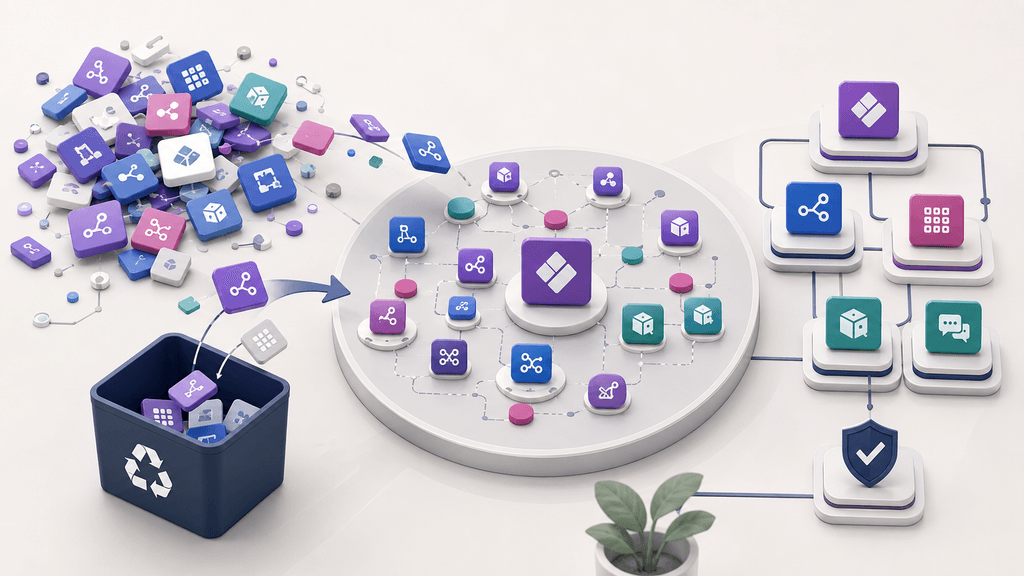
The key is to treat the default environment as a shared entry point for makers, not as a production workspace with no governance.
Why the default environment needs cleanup
Every Power Platform tenant has a default environment. It is useful because makers can start building quickly, but it can also become the place where unmanaged apps, personal flows, test connectors, and business-critical processes accumulate together.
That mix creates governance problems:
- Admins do not know which apps and flows are still used.
- Makers build business processes without a clear support model.
- Flows may depend on personal connections or individual owner accounts.
- Sensitive data can move through connectors that were never reviewed.
- Production workloads may live next to prototypes and one-off experiments.
- Cleanup becomes difficult because nobody wants to break a hidden business process.
Microsoft's guidance on managing the default environment recommends treating it differently from purpose-built production, test, or departmental environments. The default environment should have clear guardrails, active monitoring, and a path for moving important workloads elsewhere.
What should stay in the default environment?
The default environment does not need to be empty. It should support low-risk productivity scenarios while keeping production and sensitive processes under stronger controls.
A practical rule is:
Usually acceptable
Personal productivity apps, simple flows, learning resources, and low-risk automations that do not process sensitive data or require formal support.
Needs review
Department tools, shared apps, flows with many users, premium connectors, custom connectors, or processes that affect business records.
Move elsewhere
Production apps, regulated processes, sensitive-data workflows, ALM-managed solutions, and automations that need dedicated ownership or support.
Retire candidate
Old tests, abandoned prototypes, inactive flows, duplicate apps, and resources with no confirmed owner or business purpose.
This distinction helps admins avoid two extremes: locking the default environment down so hard that makers cannot start, or leaving it open until it becomes an unmanaged production environment.
Step 1: Build a default-environment inventory
Start with discovery. You cannot clean up the default environment safely if you only look at names or creation dates.
For each app and flow, capture:
- Name and resource type.
- Owner and co-owners.
- Environment name and environment type.
- Created date and last modified date.
- Last launched date for apps, where available.
- Last run date and run outcome for cloud flows, where available.
- Connectors and connections used.
- Sharing scope and security groups.
- Whether the resource is part of a solution.
- Whether the resource handles sensitive, customer, financial, HR, or operational data.
- Whether the business has confirmed an accountable owner.
Do not stop at the admin center view if the tenant has many resources. Export or centralize the inventory so that owners, admins, and governance stakeholders can review the same list.
Step 2: Classify resources by risk and business value
After inventory, classify each resource. The goal is not only to find old assets; it is to decide what should happen next.
Use a simple matrix:
| Category | Typical signal | Action |
|---|---|---|
| Keep in default | Low-risk, personal, active, clear owner | Document and monitor |
| Improve controls | Shared app or flow with owner and business use | Add co-owner, validate DLP, document support |
| Move | Production, sensitive data, premium connectors, many users | Migrate to dedicated environment |
| Retire | Inactive, duplicate, owner cannot confirm need | Archive or delete after notice |
| Investigate | No owner, unclear connectors, failed runs, broad sharing | Escalate before changing anything |
This classification prevents accidental outages. An app that looks like a small maker project may actually support a monthly finance process.
Step 3: Review connectors and DLP exposure
The default environment should have a clear data loss prevention policy. Without it, makers may combine business data connectors with consumer or unapproved services before anyone notices.
Review:
- Which connectors are used by apps and flows in the default environment.
- Whether connectors are business, non-business, or blocked in your DLP policy.
- Whether HTTP, custom connectors, SQL, Dataverse, SharePoint, Outlook, Teams, and third-party SaaS connectors are being used appropriately.
- Whether any flows move data outside approved systems.
- Whether connector exceptions are documented.
If you plan to change DLP, do an impact review first. A DLP policy can block or break existing apps and flows when connector combinations are no longer allowed.
Step 4: Find ownership and support gaps
Default-environment cleanup often reveals ownership problems. Many apps and flows are built by one person, shared informally, and never assigned a support model.
Look for these signals:
- Owner account is disabled, deleted, or no longer licensed.
- The owner changed role and no longer supports the process.
- No co-owner is assigned.
- A flow uses personal connections for a shared business process.
- A widely shared app has no business sponsor.
- Admins cannot identify who approves changes or exceptions.
For each resource that remains active, assign an accountable business owner. For important flows, consider whether ownership, co-ownership, connection references, or service principal patterns are needed to reduce dependency on one person.
Related reading: Find Orphaned Power Apps and Flows.
Step 5: Decide what to move out of the default environment
Not every active resource should stay where it was created. Move resources when the default environment no longer matches the risk, audience, or support needs.
Good candidates for migration include:
- Apps used by an entire department or business unit.
- Flows that update production systems automatically.
- Processes involving customer, employee, finance, legal, or regulated data.
- Apps and flows that need ALM, solutions, approvals, or release control.
- Resources that require different DLP rules from personal productivity work.
- Apps with formal support expectations or service desk involvement.
A move should include planning. Validate dependencies, connection references, environment variables, Dataverse tables, security roles, sharing, licenses, and owner responsibilities before migration.
Step 6: Secure the default environment with guardrails
Cleanup will not last unless the default environment has ongoing controls.
A practical default-environment guardrail set includes:
- Apply a clear DLP policy.
- Block or restrict high-risk connectors.
- Define what workloads are allowed in the default environment.
- Document the exception process.
- Require accountable owners for shared resources.
- Add co-owners for important apps and flows.
- Review disabled, deleted, or unlicensed owner accounts.
- Escalate ownerless resources before deleting them.
- Review new apps and flows regularly.
- Track connector usage and broad sharing.
- Monitor inactive apps and failed flows.
- Keep a cleanup backlog for review meetings.
Guardrails should be visible to makers. If people understand where production apps should live and why certain connectors are blocked, they are less likely to treat governance as a surprise restriction.
Step 7: Retire unused apps and flows carefully
Deleting unused resources can reduce clutter, but deletion should not be the first step.
Use a controlled retirement process:
- Identify inactive or duplicate resources.
- Confirm owner, co-owner, or business sponsor.
- Check recent runs, launches, and sharing.
- Send a retirement notice with a response deadline.
- Export or document the resource if retention is required.
- Disable first when possible, then monitor for complaints.
- Delete only after the agreed waiting period.
- Record who approved the retirement.
This protects admins from removing a resource that runs rarely but matters, such as a quarterly reporting flow or annual compliance process.
Default-environment cleanup checklist
Use this checklist during a cleanup review:
- Inventory all apps and flows in the default environment.
- Identify owners, co-owners, sharing, connectors, and activity.
- Flag production, sensitive, and broadly shared resources.
- Review DLP policy impact and connector classifications.
- Find ownerless or single-owner resources.
- Decide which resources stay, move, retire, or need investigation.
- Add owners and support notes for active business resources.
- Plan migration for production workloads.
- Communicate retirement candidates before deletion.
- Schedule recurring reviews so the cleanup does not become a one-time project.
How Impliancy can help
If you want to make default-environment cleanup repeatable, Impliancy can help centralize Power Platform inventory, ownership, compliance forms, inactivity signals, DLP-relevant context, and audit history. That makes it easier to see which apps and flows should stay, move, or be retired without relying on scattered spreadsheets.
FAQ
What is the Power Platform default environment?
The default environment is the environment that exists automatically in a Power Platform tenant. It is commonly used by makers for personal productivity apps and flows, but it can also accumulate shared or business-critical resources if admins do not set guardrails.
Should admins delete everything in the default environment?
No. The default environment can support low-risk productivity scenarios. Admins should inventory resources, classify risk, move production workloads when needed, and retire unused assets only after owner or business confirmation.
What apps should be moved out of the default environment?
Move apps that are production-critical, broadly shared, sensitive, regulated, ALM-managed, or dependent on connectors and support processes that require stronger governance than the default environment should provide.
How often should the default environment be reviewed?
Review new and changed resources regularly, such as monthly for active tenants. High-growth tenants may need more frequent reviews of new apps, flows, connectors, broad sharing, and owner changes.
How does DLP affect default-environment cleanup?
DLP defines which connector combinations are allowed or blocked. During cleanup, admins should review connector usage before changing DLP policies so they can avoid breaking apps and flows without warning.
What is the safest way to retire inactive flows?
Confirm ownership and business need first. Then communicate the planned retirement, disable or pause where appropriate, monitor for impact, and delete only after the agreed waiting period and documentation.
Internal links
External sources
- Microsoft Learn: Manage and govern the default Power Platform environment
- Microsoft Learn: Secure the default environment
- Microsoft Learn: Migrating apps and flows from the default environment
- Microsoft Learn: Develop a tenant environment strategy to adopt Power Platform at scale
- Microsoft Learn: Power Platform governance overview and strategy
- Microsoft Learn: Create and manage environments in the Power Platform admin center